smalltalk-from-scratch — Part 6
First Pixels
Getting a Smalltalk-80 system to display something requires implementing BitBlt, the 1980 graphics primitive at the foundation of everything visible. Then saving the live heap so you never have to do cold start again.
Part 6 of 7. Part 5 covered the ghost variables in the source file. This part covers the display system: implementing BitBlt, getting the System Browser visible, and saving the live heap as a binary image.
A Smalltalk system that can’t show you anything isn’t really a Smalltalk system. The interactive environment — the System Browser, the Workspace, the Transcript, the Inspectors — is the whole point. Everything we’d built so far was infrastructure toward the moment where you could open a code browser, find a method, modify it, and see the result.
Getting there meant implementing BitBlt.
What BitBlt Is
Here is the actual BitBlt class definition from the original source:
Object subclass: #BitBlt
    instanceVariableNames: 'destForm sourceForm halftoneForm combinationRule
        destX destY width height sourceX sourceY clipX clipY clipWidth clipHeight '
    classVariableNames: ''
    poolDictionaries: ''
    category: 'Graphics-Support'!

BitBlt comment: 'The BitBlt operation copies bits from one rectangle within a Form
(source) to another (dest). The result is stored according to a combination rule
which specifies one of the sixteen possibilities for how white and black should
be combined.

If halftoneForm is not nil, it is a halftone screen which masks (is ANDed with)
the source during the operation. Halftones are 16x16 bit Forms which are repeated
indefinitely as needed.

If sourceForm is nil, the halftone is taken by itself to be the source, as for
filling with a constant pattern.

The clipping parameters specify a rectangle in the destination outside of which
BitBlt will not make any changes.'
Fourteen instance variables. Five concern the geometry of the operation (destX, destY, width, height, and four clip parameters). Two describe the data (destForm, sourceForm). One controls blending (halftoneForm). One controls the logical operation (combinationRule). And sourceX, sourceY describe where in the source to read from.
The Form class that BitBlt operates on:
DisplayMedium subclass: #Form
    instanceVariableNames: 'bits width height offset '
    classVariableNames: 'OneBitForm '
    poolDictionaries: ''
    category: 'Graphics-Display Objects'!

Form comment: 'This class is a rectangular pattern of dots represented as a
Smalltalk Bitmap.'
Four instance variables. A Form is a bitmap: an array of bits (bits), a width and height, and an offset used for cursor registration. The 1bpp bitmap for the entire display screen is a DisplayBitmap — a subclass of WordArray where each 16-bit word holds 16 pixels.
The combination rules are named class-side constants:
!Form class methodsFor: 'combining rules'!
and    ^1!
erase  ^4!
over   ^3!
paint  ^16!
reverse ^6!
under  ^7! !
Rule 3 (over) is straight copy. Rule 6 (reverse) is XOR — used for cursors because XORing twice restores the original. Rule 4 (erase) clears destination bits. Rule 16 (paint) is handled as a special Smalltalk fallback, not a native bitwise rule — hence the fallback branch in copyBits when the primitive fails for rule values outside 0–15.
BitBlt in C#
The Smalltalk-80 BitBlt operation is specified precisely in the Blue Book, Part III, Chapter 18 (“The Graphics Kernel”). The algorithm takes the source, destination, halftone, and combination rule, clips everything to the intersection of the destination rectangle and the clip rectangle, computes the word-aligned boundaries of the affected pixels, and then executes an inner loop over the relevant words.
The original implementation operated on 16-bit words and 1-bit pixels — a monochrome display, black and white. Each 16-bit word encoded 16 horizontal pixels. The inner loop computed a mask for partial words at the left and right edges of the destination rectangle, then applied the combination rule word by word.
My implementation worked in 32-bit words from the start, since modern Windows Forms expects 32 bits per pixel (one byte each for red, green, blue, and alpha). The algorithm is the same; the word size and the color mapping are different. One complication: the Blue Book’s descriptions assume 1bpp, so halftone patterns (16×16 bitmaps) that in the original specified black-vs-white patterns in my implementation needed to map to actual color values. For the initial implementation I used a simple gray conversion: a white halftone pixel became 0xFFFFFFFF (white), a black halftone pixel became 0xFF000000 (black).
The combination rules need to be applied per-channel for color. XOR on a color pixel XORs each channel independently, which produces the visual “inversion” effect that XOR cursors rely on.
Primitive 96 in the Smalltalk-80 specification is the copyBits primitive — the entry point for BitBlt. When Smalltalk code sends copyBits to a BitBlt instance, the interpreter invokes primitive 96:
copyBits
    "Perform the movement of bits from one Form to another described by the
    instance variables of the receiver. Fail if any instance variables are
    not of the right type (Integer or Form) or if combinationRule is not
    between 0 and 15 inclusive. Essential. See Object documentation
    whatIsAPrimitive."

    <primitive: 96>
    combinationRule = Form paint
        ifTrue: [^self paintBits]
        ifFalse: [
            destX _ destX truncated.
            destY _ destY truncated.
            ...]
If the primitive succeeds (the fast path through C#), the method returns immediately. If it fails, the Smalltalk fallback handles edge cases like non-integer coordinates and the special paint combination rule.
The DisplayScreen is the singleton that backs the actual screen:
!DisplayScreen methodsFor: 'displaying'!
beDisplay
    "Tell the interpreter to use the receiver as the current display image.
    Fail if the form is too wide to fit on the physical display.
    Essential. See Object documentation whatIsAPrimitive."

    <primitive: 102>
    self primitiveFailed! !
When DisplayScreen initialize calls beDisplay, primitive 102 fires, which tells the C# runtime to create the window and map the Display Form’s bitmap to it.
Several other primitives are associated with the display:
- Primitive 102:
beDisplay— establish the screen Form - Primitive 104:
drawLoopX:Y:— Bresenham’s line drawing algorithm, used by thePenclass - Primitive 105:
displayString:at:clippingBox:rule:mask:— font rendering using pre-rasterized glyph Forms
Getting these right took several days. The edge cases in BitBlt are numerous: partial left word, partial right word, the case where source and destination overlap (requiring a bottom-up copy), and the case where the source is nil (a fill operation using only the halftone pattern).
The Window
The first display implementation used a Windows Forms window — a C# Form in WinForms terms — with a PictureBox whose backing bitmap was shared with the Smalltalk Display object. When Smalltalk code called Display primitiveCopyBits, the BitBlt engine wrote into this bitmap, and a timer-driven Invalidate() refreshed the window from the updated bitmap contents.
The Smalltalk Display global is a DisplayScreen object — a subclass of the Smalltalk Form class — that represents the entire screen surface. When DisplayScreen initialize runs (one of the init expressions from Part 5), it calls the beDisplay primitive, which tells the C# runtime to create the display window and map the Display Form’s bitmap to it.
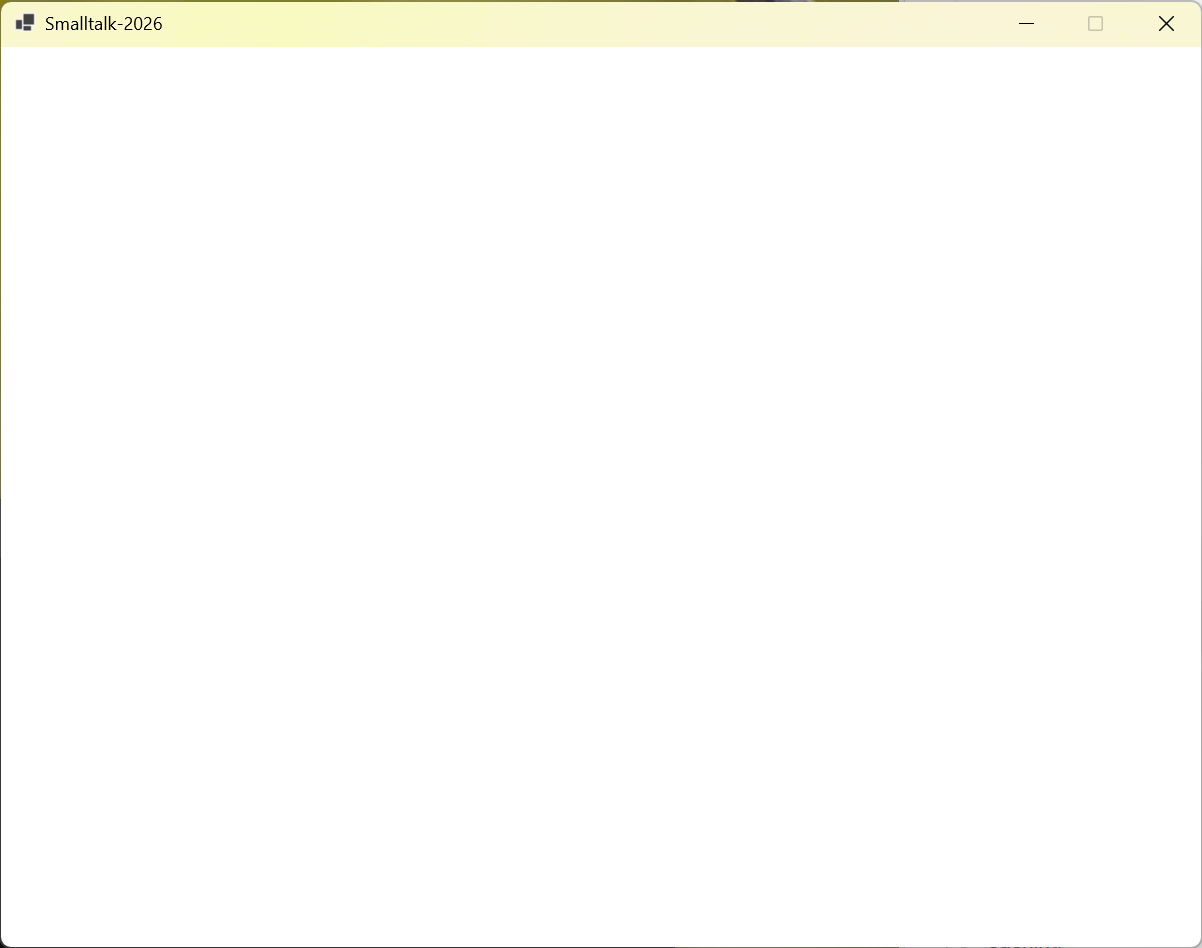
November 14th: the first GUI window appeared. It was empty — a white rectangle — but it was there, and it was Smalltalk’s window.
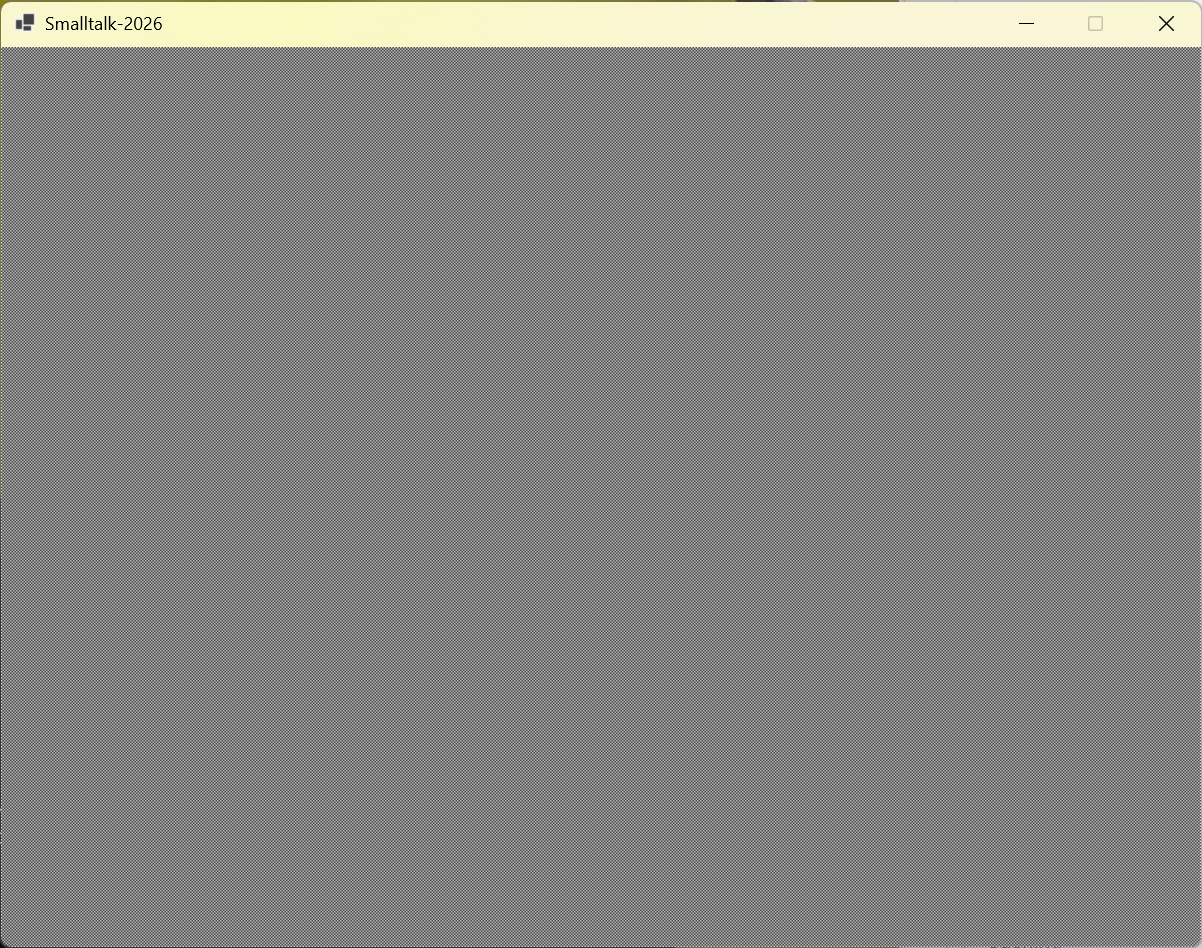
The grey desktop came next. Once the Smalltalk system’s initialization code ran — the ControlManager, the ScheduledControllers infrastructure, the display fill routines — it painted the characteristic Smalltalk-80 grey background: a halftone pattern of alternating black and white pixels, rendered through BitBlt with the halftone Form.
The Dragon
The first complex rendering test was a dragon drawn with the Pen class.
Pen is Smalltalk-80’s turtle graphics primitive: you create a Pen, position it, set its direction, and call go: to move it forward, drawing as it moves. In the source file, Pen is literally a subclass of BitBlt:
BitBlt subclass: #Pen
    instanceVariableNames: 'frame location direction penDown '
    classVariableNames: ''
    poolDictionaries: ''
    category: 'Graphics-Primitives'!

Pen comment: 'Pens can scribble on the screen, drawing and printing at any angle.'
Pen inherits all fourteen of BitBlt’s instance variables. Its go: method computes a direction vector and delegates to goto:, which calls drawLoopX:Y: (primitive 104):
go: distance
    "Move the receiver in its current direction a number of bits equal to
    the argument, distance. If the pen is down, a line will be drawn using
    the receiver's form source as the shape of the drawing brush."

    | dir |
    dir _ direction degreesToRadians.
    dir _ dir cos @ dir sin.
    self goto: dir * distance + location
Every line drawn by the Pen is a BitBlt operation. The source Form (set by defaultNib:) is a small dot shape blitted along the line path.
The test was an artistic one: I asked Claude to generate Smalltalk code that would draw a dragon using Pen with line shading, based on this reference image:
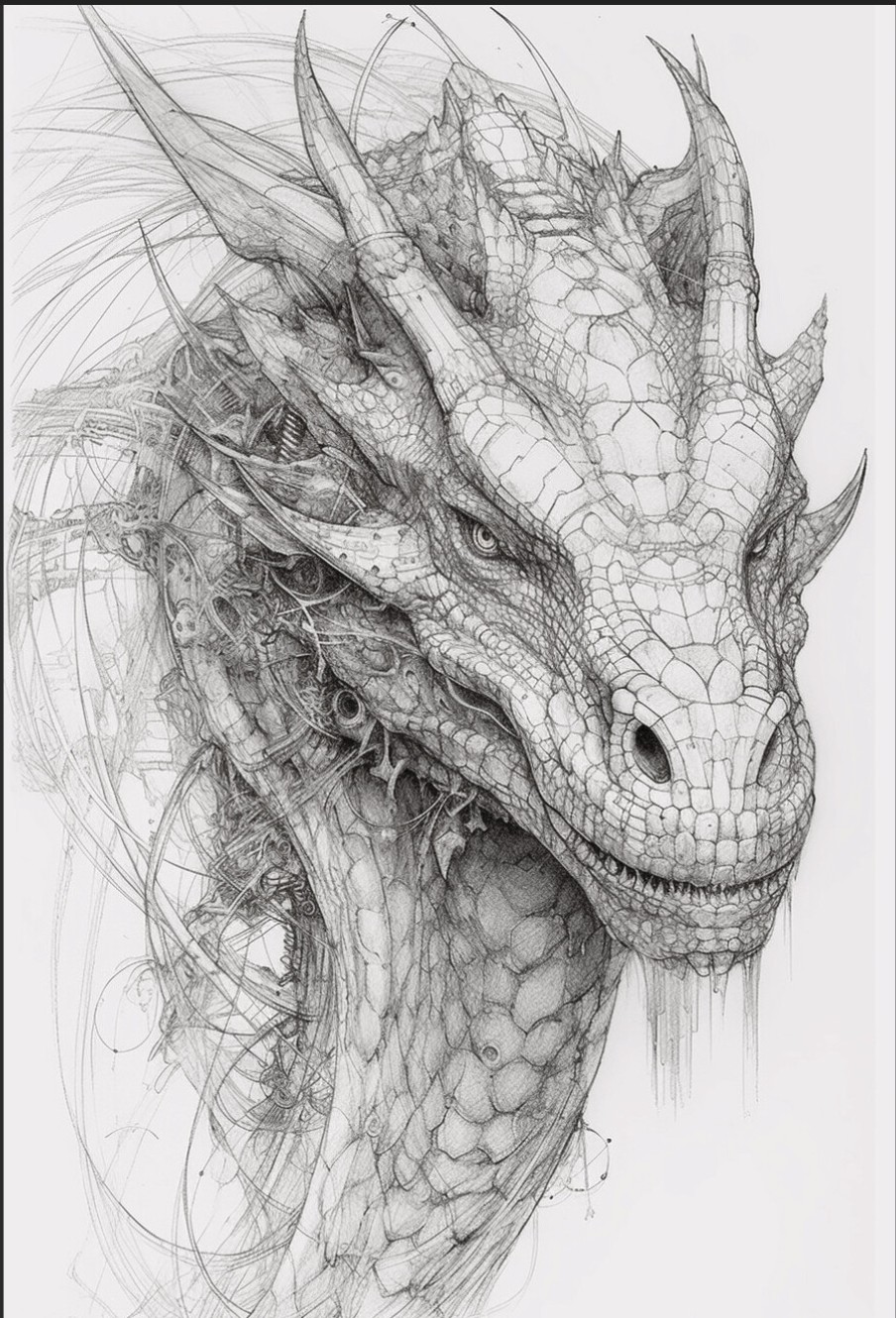
The generated code positions the pen at the dragon’s starting point and draws a series of lines with varying orientations to create the figure — outlines, cross-hatching for scales, parallel strokes for shading.
The first attempt produced a blank screen. The Pen was being created and moved, but nothing appeared. The issue was that drawLoopX:Y: was writing into the Smalltalk heap’s copy of the Display Form, but the WinForms PictureBox bitmap was a separate C# object. The bridge between them — copying the heap bitmap data into the C# bitmap before each frame — was updating only part of the display buffer. After fixing the buffer synchronization and adding a Display invalidate call after the drawing sequence, the dragon appeared:
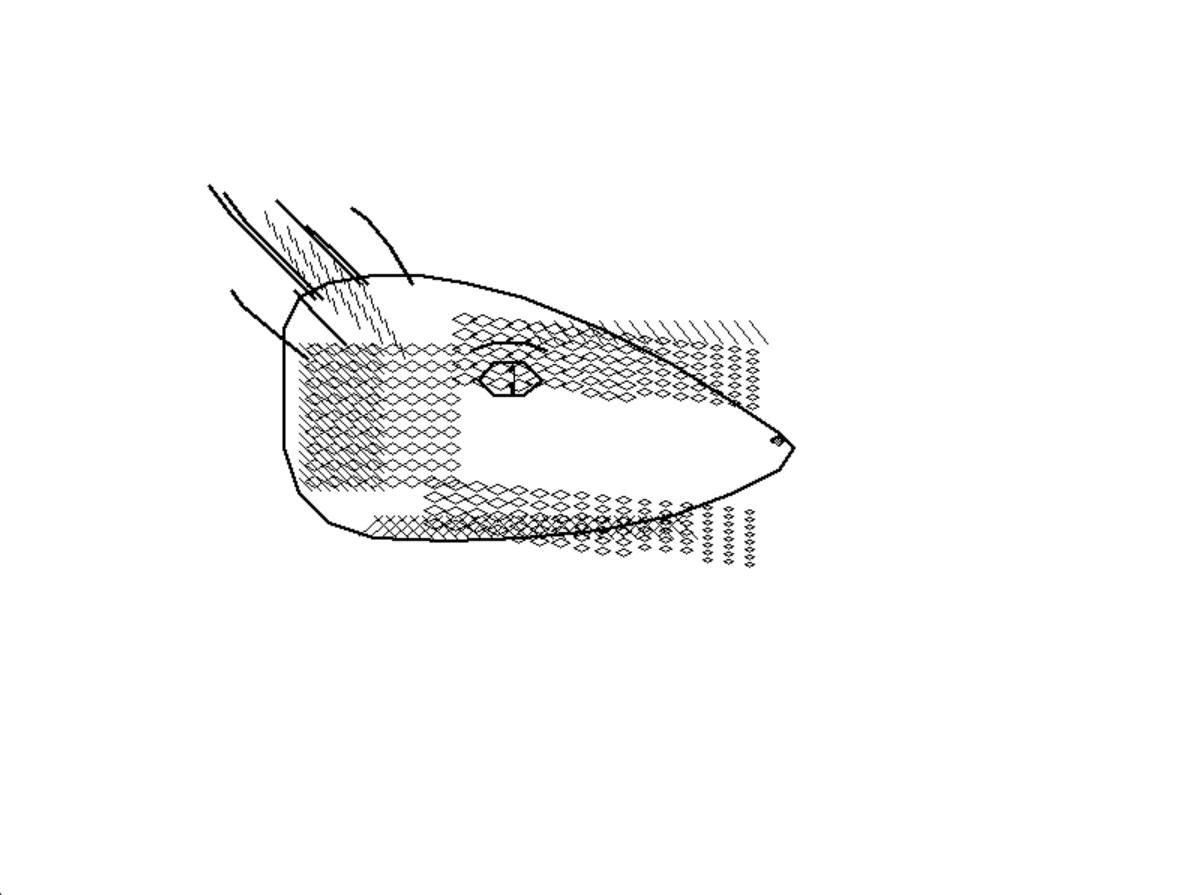
Recognizably the same dragon. Made entirely of straight-line segments, cross-hatching, and parallel strokes — every one a BitBlt operation through drawLoopX:Y:. Then again, the gap between reference and result isn’t really Smalltalk’s fault. The Pen class worked. The display pipeline from Smalltalk Pen operations through BitBlt through the bitmap surface to the actual screen pixels was proven end to end.
The System Browser
The System Browser is Smalltalk-80’s primary development environment. It’s a four-pane window: class categories on the left, class names next, method categories, and the actual method source code in the large bottom pane. Clicking on a class shows its methods. Clicking on a method shows its source. You can edit the source and accept the changes, which recompiles the method in place.
Getting the Browser to appear required:
- Working window management (the
ControlManagerandScheduledControllersinfrastructure from Part 5) - Working text rendering (BitBlt-based font compositing, using pre-rasterized glyph Forms loaded from disk)
- Working form loading (.form files containing the browser’s icons and UI elements)
- The
ClassOrganizerandSystemOrganizationobjects populated with the class hierarchy so the browser had something to display - Working mouse input dispatched through the MVC controller loop
Each of these was a debugging sequence of its own. Font rendering was particularly finicky — the glyph Forms need to be positioned correctly relative to the text baseline, and the baseline position depends on font metrics stored in the StrikeFont object’s xTable array. Getting the baseline wrong by one pixel meant text that looked slightly off; getting it wrong by several pixels meant illegible output.
StrikeFont is a 17-instance-variable class. Its core data structure is a long Form (called glyphs) — a horizontal strip containing every glyph side by side. The xTable array holds the x-coordinate of each character’s left edge in that strip. To render a character, you look up its position in xTable, compute its width from the difference to the next entry, and blit that rectangle from the glyph strip to the destination. Every character is a BitBlt operation. To render a word you repeat it for every character; to render a paragraph you track the x-position and wrap at line boundaries. The scanner classes (CharacterScanner, CharacterBlockScanner, CompositionScanner, DisplayScanner) handle all of that — 2,000+ lines of text layout code, all bottoming out in copyBits.
The browser first appeared in late November. Seeing the Smalltalk-80 System Browser running in a window I’d built from scratch — the four panes populated, the class hierarchy navigable, method source rendered in the original font — was the most satisfying moment of the entire project.
To understand why this was significant, consider what the scroll controller alone was doing — from the original source:
controlInitialize
    "The scrollbar has a two-pixel border, and for alignment it assumes
    that this sub-view has a one-pixel border..."

    super controlInitialize.
    scrollBar region: (0 @ 0 extent: 32 @ (view displayBox height + 2)).
    marker region: self computeMarkerRegion.
    scrollBar _ scrollBar align: scrollBar topRight with: view displayBox topLeft - (0@1).
    marker _ marker align: marker topCenter with: scrollBar inside topCenter.
    savedArea _ Form fromDisplay: scrollBar.
    scrollBar displayOn: Display.
    self moveMarker
Form fromDisplay: scrollBar captures a rectangle of the live screen into a Form before drawing the scrollbar on top of it. controlTerminate restores it:
controlTerminate
    super controlTerminate.
    savedArea notNil
        ifTrue: [
            savedArea displayOn: Display at: scrollBar topLeft.
            savedArea _ nil]
The scrollbar erases itself by restoring the saved pixels. This pattern — save screen region, draw UI element, restore on removal — runs throughout the entire MVC system. Getting the System Browser’s four panes to appear, scroll correctly, and not corrupt each other’s screen regions required all of this working in concert.
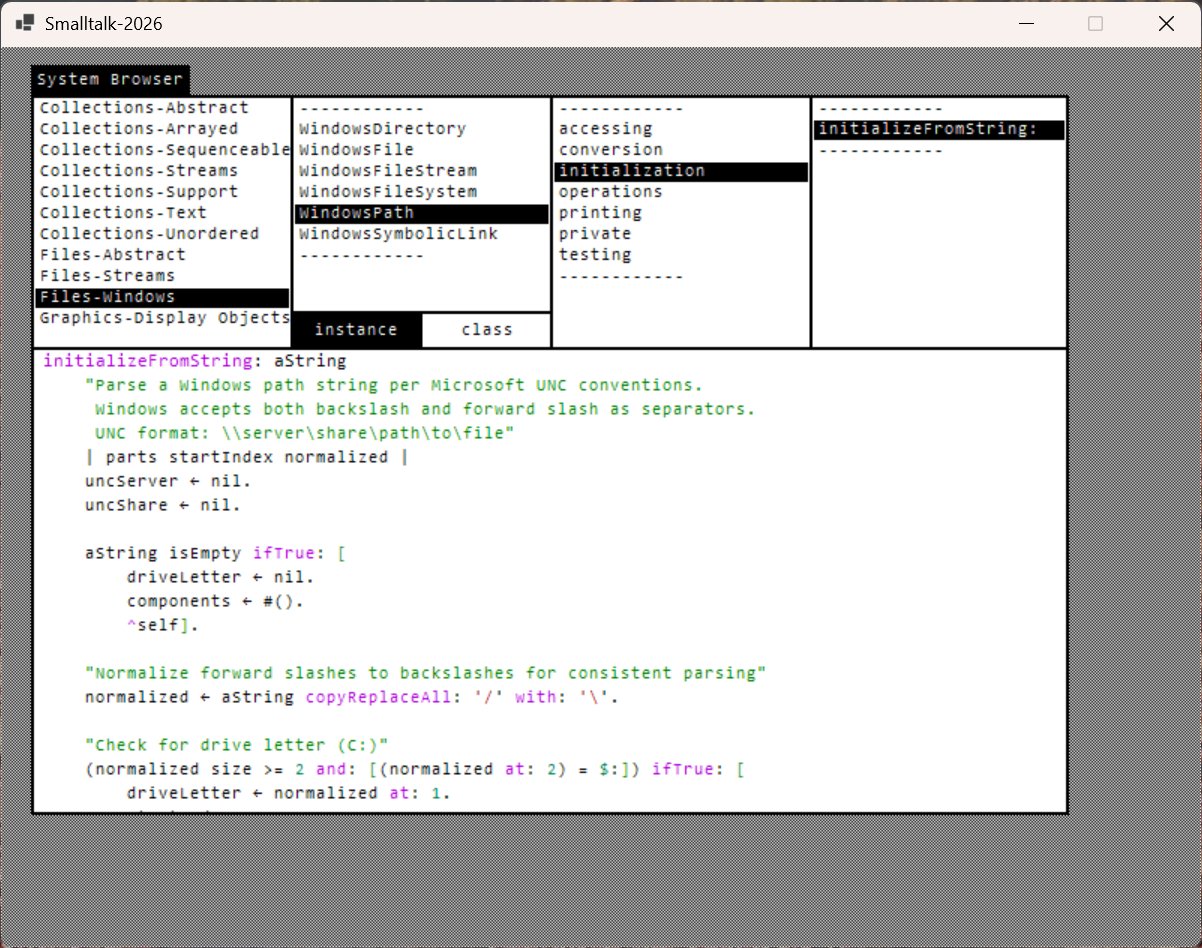
The title bar says “Smalltalk-2026” — that name was being used loosely before the fork was formalized — but this is the Smalltalk-80 branch, not the Canvas fork. The screenshot shows two additions beyond the authentic 1983 baseline: the upgrade from 1bpp monochrome to 32bpp color, and a preliminary BitBlt-based syntax highlighter. The ← character visible in the assignment positions is the actual Smalltalk-80 assignment arrow, rendered from the 1bpp glyph strip — in the original 1983 font the arrow is a single glyph.
The syntax highlighting was implemented directly through the BitBlt rendering path, with color information carried as per-character form rules. It worked, but maintaining it required fighting the constraint that BitBlt operates on bits, not on colored text. Every color change required a different combination rule or halftone pattern.
And the system never stopped running. Even sitting here with no user interaction, the ControlManager>>searchForActiveController loop was spinning: [Processor yield. detect: [...isControlWanted...]] whileTrue. The original Smalltalk-80 was designed for the Alto, a machine with no battery, no other processes, and nothing better to do with its CPU. On a laptop in 2025, this design was untenable. Fixing it became the first priority in the fork.
Snapshot Save and Restore
Cold start takes time. It builds the heap from scratch, runs hundreds of init expressions, and validates everything with garbage collection. For development work — where you restart the system frequently — running cold start on every launch is too slow.
The solution, which is also the standard Smalltalk-80 solution, is snapshot save and restore. Primitive 97 (snapshotPrimitive) serializes the live heap to a binary file. On subsequent launches, instead of running cold start, the system reads the binary file and restores the heap directly.
Implementing the snapshot required:
Saving: walking every object in the object table, serializing it with its class pointer, format bits, size, and data. The active execution context (the current method context and its sender chain) also needs to be saved so execution can resume where it stopped. The Display’s dimensions are stored in the header so the window can be created at the right size on restore.
Restoring: reading the binary back into memory, rebuilding the object table, reconnecting the GC roots (nil, true, false, the SystemDictionary, the symbol table, the active process), recreating the display surface at the right dimensions, and resuming the saved process.
The snapshot file is saved to %APPDATA%\Smalltalk-80\snapshot.im, matching the convention a real Smalltalk system would use for user data.
Several bugs appeared in the restore path. The most persistent was a “black window” on restore — the window appeared but nothing was drawn. The issue was that the display bridge (the connection between the Smalltalk Display Form and the C# bitmap surface) was recreated on restore but the beDisplay primitive that establishes this bridge was not being called early enough in the restore sequence. Adding an explicit Display beDisplay call before the first frame redraw fixed it.
After snapshot was working, cold start became a one-time setup procedure. Development sessions start from the saved image in under a second.
What the System Could Do
By the end of this phase — December into early January — the system ran cold start from the JSON, executed all init expressions cleanly, and produced a complete Smalltalk-80 heap. It displayed a window with full BitBlt-based rendering, showed the System Browser with a navigable class hierarchy, and rendered text using the original StrikeFont rasterized glyph format. It accepted mouse input routed through the MVC controller loop, and it could save a snapshot and restore from it on subsequent launches.
It was authentic — the original 1983 class library, the original bytecodes, the original rendering model. Text rendering had quirks, window management was sometimes rough, and the display was monochrome (1bpp converted to grayscale). And that authenticity carried the original problems with it.
The question that came next was: do we want it to stay authentic?
That’s Part 7.